
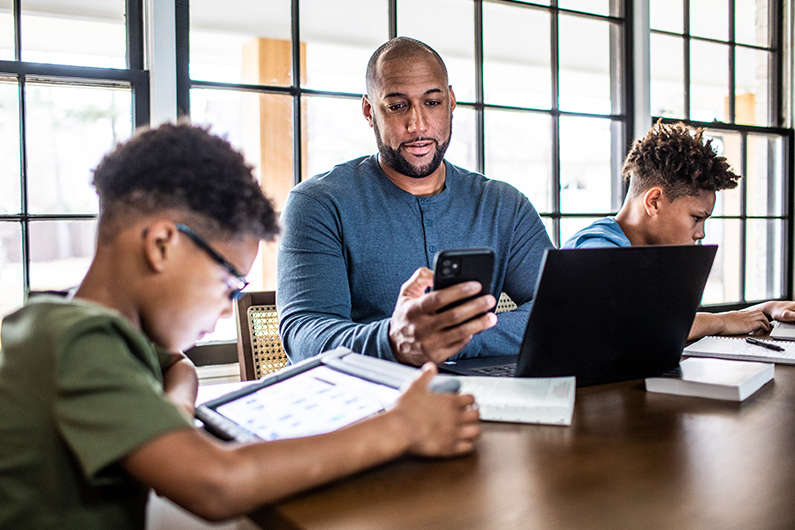
Cybersecurity Tips for Your Family
The digital world is changing fast. Here’s how to protect against cyberthreats and keep your family safe from evolving scams—without instilling fear.
Keeping your family members safe used to mean teaching them not to talk to strangers and to look both ways before crossing the street. These days, it’s just as important—maybe even more so—to make sure they know the basics of cybersecurity.
"Building small, consistent habits can go a long way toward keeping you protected," says Tina Smith, AVP, Principal Security Culture Program Manager for Fifth Third Bank. "Cybersecurity isn’t about being perfect. It’s about being prepared."
As artificial intelligence makes scams harder to detect, now’s the time to revisit your family’s digital safety practices. Talking openly with your children and aging parents—and regularly reinforcing a few key behaviors—can help everyone navigate the internet without putting themselves, their finances or their loved ones at risk.
Here’s how to protect yourself from cyber attacks, including what to discuss with your family and how to create (or update) some family wide rules for smarter online behavior.
Key takeaways:
- AI scams are getting more convincing—protect your family by teaching them good digital hygiene and how to spot red flags.
- Talk to kids and seniors about online safety so they’re not fooled by phishing, impersonation or other fraud attempts.
- Use strong passwords, secure Wi–Fi and two–factor authentication to shield against cyberthreats.
Prepare some family conversation starters
Whether you’re talking to a 10–year–old or an 80–year–old, the goal is the same: helping them understand that staying safe online requires a few intentional habits.
Before starting the conversation, think about how your family members use the internet. Do your kids use multiplayer video games or social media? Does your parent shop online or use banking apps? Tailor your advice to their real–world digital habits.
With kids, keep the tone curious and collaborative, asking questions like "What would you do if someone that you don’t know messaged you online?" or "What would make you pause before clicking a link?"
When giving cybersecurity tips to older adults, avoid tech jargon and frame online precautions as a form of self–protection, like locking your front door or not answering calls from unfamiliar numbers. Reassure them that asking for help isn’t a sign of weakness; it’s a proactive way to stay safe.
Get familiar with common scams and cybersecurity threats
Cyberthreats aren’t static—they evolve with the times. In 2025, AI–powered scams are making fake content even more convincing. That includes deepfake videos, hyper personalized phishing emails and impersonation scams that mimic voices, logos and even past conversations.
Phishing scams—email messages designed to trick you into revealing sensitive info—remain the most commonly reported cybercrimes, with over 1 million complaints in the first quarter of 2025 alone, according to the Anti–Phishing Working Group’s Phishing Activity Trends Report. And tools like generative AI are making it easier for scammers to scale their efforts and trick more people.
Older adults are often targeted with tech support, romance scams or Medicare fraud, while teens may be vulnerable to social media or gaming–related schemes. The Federal Trade Commission found that romance scams cost Americans $1.2 billion in 2024—with people 60 and over among the most affected. And a 2024 white paper published by the Ruderman Family Foundation found that every week, 70% of teens engage with strangers on a weekly basis in online gaming environments.
Understanding these ever–shifting threats is the first step—next comes knowing how to defend against them. Our family cybersecurity tips of 2025 can help you take action to keep kids safe online.
Understand password best practices
Strong, unique passwords are the easiest way to stop cybercriminals from accessing personal accounts.
Encourage your family to use long, complex passwords (a mix of uppercase and lowercase letters, numbers and symbols) for every online account—especially those with sensitive health or financial information. That way, if there’s a security breach on one of your accounts, scammers won’t be able to access other accounts using the same password.
If keeping track of all those passwords feels overwhelming, consider using a password manager, which automatically generates and stores passwords securely. That way, you’ll just need to remember one password to unlock the master vault. Enabling two–factor authentication, where available, adds another critical layer of security.
And as a family rule, no one should share passwords with anyone except a trusted adult or designated emergency contact.
Review internet protection for the family
At home, make sure your Wi–Fi router is password–protected (not using the factory default), encrypted and has the latest software updates. Consider setting up a second guest network that visitors, such as caregivers, can use. This gives them access without exposing your personal devices.
When in public, make sure your family understands that public networks are much more vulnerable to cyberattacks. You should avoid using them when logging into sensitive accounts or making financial transactions. Instead, use a personal hot spot or VPN for a secure connection. And remind your family to always log out of apps, websites and accounts once they’re done.
How to avoid phishing scams
As cybercriminals become savvier—and AI supercharges their efforts—phishing emails and messages are appearing increasingly more legitimate.
"Scammers are mimicking real companies, even replicating websites and logos, to lure people into clicking fake links or handing over credentials," says Smith.
Internet protection for family devices starts with simple habits: if a someone gets a suspicious email or text from someone they don’t recognize, they should skip the links and confirm the message directly with the company. And if you get a suspected phishing email or text message purporting to be from Fifth Third Bank, forward it to 53investigation@security.53.com.
Common red flags include:
- A sense of urgency that requires immediate action, such as sending money or sharing personal information.
- A request for payment by gift cards or to switch communications to less mainstream platforms.
- Promises or deals that seem too good to be true.
To limit your exposure, be mindful of what you share online. Scammers often use personal information readily available on public social media profiles to tailor their attacks. Make sure your family members set their accounts to private, turn off location tagging and only connect with people they know in real life.
Lock down your smart devices
In 2023, the most common attacks on home networks targeted smart devices like TVs, plugs and DVRs, according to NETGEAR’s Consumer Security Survey. Before purchasing new gadgets, check their security settings and stick with reputable brands. If you’re not using a smart device regularly, disconnect it.
You should also enable any automatic software updates and install antivirus protection across all family devices. Phones, tablets and laptops should be locked with a passcode or biometric ID and set to auto–lock after inactivity.
Get familiar with the privacy settings on apps and platforms, especially those used by kids or seniors. Disable features you don’t need and limit how much data is shared.
Get help when you need it with SmartShield® Security
Fifth Third’s SmartShield® Security dashboard helps defend your accounts from fraudsters, providing access to security alerts, educational resources and the Fraud Center, where you can freeze or unfreeze your credit cards. For deeper protection, Fifth Third Identity Alert® offers additional monitoring and recovery services.
Create a culture of open communication
When thinking about how to improve cybersecurity at home, make regular conversations with your family a habit. Talking openly about online risks not only reinforces the rules but also makes it easier for loved ones to speak up if something feels off.
"Open communication is key," says Smith. "You want your kids and your parents to feel comfortable coming to you."
Cybercrimes often go unreported because the victims feel ashamed, and children may fear punishment for their own online activities. By normalizing these conversations, you reduce the stigma and empower your family to act quickly if something happens.
If you suspect fraudulent activity on your Fifth Third account, call 800–972–3030. You may also report a lost or stolen card anytime via the Fifth Third Mobile App.
Cybersecurity for families FAQs
- What are the most common cyberthreats families face? Families are often targeted with phishing emails, impersonation scams, and fraud on gaming or social media platforms. Older adults may also be at risk for tech support or romance scams.
- How can I talk to my kids about cybersecurity? Use open–ended questions to spark dialogue and focus on curiosity rather than fear. Ask things like "What would you do if a stranger messaged you in a game?" and offer guidance based on their real internet habits.
- What’s the best way to manage passwords for my family? Use a password manager to create and store long, unique passwords for all accounts. Teach your family not to reuse passwords and to turn on two–factor authentication whenever possible.
- Are public Wi–Fi networks safe? Not always. Public Wi–Fi can make your data vulnerable to hackers. Avoid logging into sensitive accounts on public networks or use a personal hot spot or VPN for better security.
- How can I spot a phishing scam? Watch for messages with urgent language, unexpected links or requests for personal information. Scammers often mimic legitimate companies. If something feels off, verify it directly through the company’s official website or app.
- What steps can I take to secure smart devices at home? Stick to trusted brands, keep devices updated and disable features you don’t use. Protect your Wi–Fi network with a strong password and consider antivirus software for extra protection.
Next steps for your family to take
- Watch this video about phishing attacks to help keep you and your money safe.
- Discover the importance of using internet parental controls to protect your kids.
- Learn about online shopping best practices to ensure your personal and financial information is secure.
- Get tips on keeping your data secure when using digital banking.