
Fifth Third Welcome Center
Comerica is now part of Fifth Third, and we’re bringing together the best of both banks to help our customers and communities thrive.

Set Up Online & Mobile Banking Access
Your accounts have successfully transitioned to Fifth Third, and we’re glad you’re here!
You can now view and manage your accounts in Fifth Third Online & Mobile Banking—and the first step is creating a new Fifth Third User ID and password. Please note you will create new credentials, not use your Comerica user ID and password.
Follow these steps:
- Go to 53.com/enroll.
- Use your debit card and PIN to set up login. (If you do not have those, use your account number and Social Security number for one-time identity verification.)
- Set up your secure User ID and password.
- Follow the guided setup to access your accounts and customize your preferences.
Completing this enrollment as soon as possible can help ensure a smooth banking experience.
Moving Forward, Together
Your transition to Fifth Third is complete, and we’re glad you’re here! While some things may look different today, our commitment to local relationships, strong communities and putting customers first remains the same. Here are the most important things you need to know:
 Your money and information are safe.
- Your checks, debit cards, direct deposits and account numbers still work.
- We’re here for you when you need it.
Looking for information about business, commercial or private banking?


Looking for a branch or ATM?
Your Fifth Third Momentum® account comes with a better payday!
Don't have direct deposit set up yet? Easily switch your paycheck to your Fifth Third account directly in the mobile app. Once you’ve set up your user ID and password, simply type "Direct Deposit" in the search bar to get started.
Customers converted to Fifth Third Momentum® Checking accounts now have access to benefits like Early Pay!
With Early Pay, there’s no more waiting: Qualifying direct deposits arrive up to 2 days sooner1, giving you more flexibility to pay bills, make purchases and manage your finances.

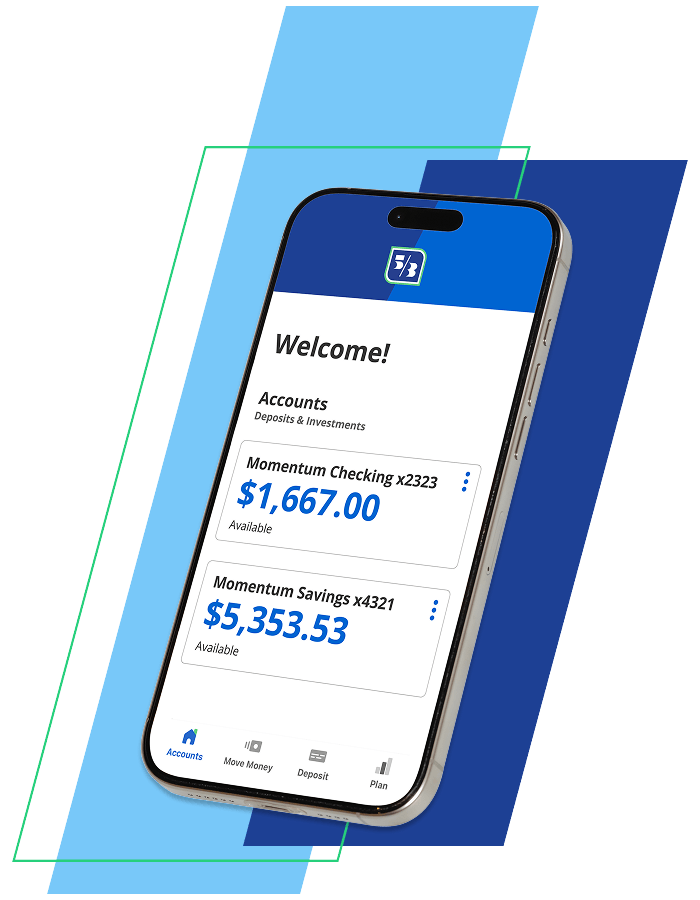
Bank 24/7, wherever you are
Say hello to Fifth Third Online Banking and the award-winning Fifth Third mobile app—it’s like having your own personal branch right inside your pocket!
 Secure access to your accounts—anytime, anywhere
- View balances and transaction history
- Transfer money and pay bills
- Deposit checks with Mobile Deposit
- Access account features like Direct Deposit tools and Early Pay

Stay alert!
Fraudsters sometimes target customers during bank transitions. Here are a few things to keep in mind:
- Slow down and verify information before taking action.
- Before clicking a link, check who sent the message.
- A unique password for your banking accounts helps keep your account secure.
- Scammers may use fake websites that look real. Type web addresses directly into your browser and check the spelling.
We’re here to help
Support is always within reach.

Review answers to common questions below.

Chat with us 24/7 on 53.com or in our mobile app once you enroll and log in.

Give us a call at 800-972-3030 to speak to a representative.

Visit us in a Fifth Third branch. For convenience, schedule an appointment.
Frequently Asked Questions
Accessing money & everyday banking
Loans & credit
Mortgage accounts
Digital banking & records
Security & fraud
General Information
Getting help
More opportunities ahead

How to Recognize Common Bank Fraud Tactics
Scammers know the tricks of the trade when it comes to bank fraud. Here's how to keep your online and mobile bank accounts secure.

Tips to Keep Data Secure When Using Digital Banking
Online banking is convenient, but are you keeping financial and personal information secure? Read more about digital and online banking security tips.

8 Ways to Control Your Spending
Take charge of your finances with these eight money management tips. From paying down debt to learning how to budget, here's how to stop overspending.